
Introduction: Why the FB Ads Library Feels Useful but Rarely Drives Results
Most marketers open the FB Ads Library expecting to find “winning” Facebook ads they can replicate. Instead, they end up with dozens—or hundreds—of saved ads and no clear improvement in performance. The frustration is predictable. The FB Ads Library shows what’s visible, not what works. You can see active ads, but you don’t see conversion rates, cost per acquisition (CPA), or why a specific creative performs.
That gap leads to a common but ineffective workflow: collect → save → imitate. The issue isn’t access. It’s translation.
Why Browsing the FB Ads Library Rarely Produces Actionable Insights
Seeing an ad is data. Understanding it is a process. A Facebook ad isn't a single variable—it’s a mix of hook, angle, format, visual style, offer framing, and call to action.
Most teams treat ads as indivisible: either "this looks good" or "this looks bad." Performance doesn't work that way.
For instance:
- A strong hook can hide a weak visual
- A compelling offer can be buried under poor framing
- A format might only succeed with a certain audience
Without breaking ads into components, you can’t identify what’s driving results. That’s why most inspiration workflows fail. They lump multiple variables into one vague judgment. When you test a copied idea, you’re testing a bundle of assumptions—not a hypothesis.
How to Actually Use the FB Ads Library (The Right Way)
The FB Ads Library gives you more filtering power than most teams use. Here's how to get useful inputs out of it.
Search by brand, not category. The "category" filter returns too many irrelevant ads. Searching by a specific brand name — a direct competitor or a brand in your space you respect — gives you a focused, analyzable set.
Filter to active ads only. Inactive ads tell you what didn't work long enough to keep running. Active ads are the ones a brand is currently paying for. Set the status filter to "Active" before looking at anything.
Look for ad sets running multiple variants. When you see a brand running 5–10 variations of the same core concept — same product, different hooks or visuals — that's a signal of an active testing program. Those variants are more informative than any single ad because they reveal what the advertiser is actually testing.
Note the start date. The library shows when each ad started running. An ad that's been active for 60+ days in a competitive category almost certainly isn't being kept alive out of laziness — it's converting. Ads running 6–12 months are extremely high-signal.
Cross-reference with their landing page. The library shows the destination URL. Open it. The page a brand sends paid traffic to is usually more carefully optimized than anything on their main website. Read Find Competitor Ad Landing Pages at Scale to see how to systematize this step.
Watch for disclaimer patterns. Ads running under the "Special Ad Categories" (housing, employment, credit, social issues) have additional transparency requirements. If a competitor is running in a regulated category, those disclosures can tell you something about their positioning and legal review process.
How to Tell Which Ads Are Worth Analyzing
Not all active ads are worth your time. Here's how to triage quickly.
High signal — worth analyzing deeply:
- Running 30+ days
- 5+ variants of the same core message
- Video ads with captions (they spend more on these; they're committing to a format)
- Sending traffic to a dedicated landing page, not the homepage
Low signal — skip or skim:
- Started in the last 7 days (too early to know if it's working)
- Single ad with no variants (may be a test, not a proven concept)
- Sending traffic to a generic homepage or product category page
Red flags (don't copy):
- Very high ad frequency with no variants (creative fatigue; they're stuck, not winning)
- Vague value propositions with no specificity
- Testimonials with no names, faces, or verifiable context
The most useful thing you can extract from the library in 30 minutes: identify the 2–3 highest-signal ads from each of your top 3–5 competitors. That's 6–15 ads to analyze structurally — a manageable starting set.
The Hidden Gap Between Seeing Ads and Understanding Why They Work
The shift successful teams make is simple: they extract variables instead of saving examples. A single ad becomes structured input:
- Hook: “Stop wasting money on X”
- Angle: cost inefficiency
- Format: short-form video
- Visual: talking head with captions
- CTA: urgency-driven
The ad becomes a hypothesis generator. The question changes from “What should we copy?” to “What variations of this idea can we test?”
Scale emerges when you can generate multiple variations:
- Different hooks on the same angle
- Same hook across multiple formats
- Same concept with different emotional tones
According to Meta internal data, campaigns using multiple creative variations can reduce CPA by up to 30% compared to single-ad approaches. Additionally, a HubSpot marketing report found that brands testing five or more creative variations per campaign saw significantly higher engagement rates than those running only one or two ads. In fact, reports suggest that the top-performing campaigns run an average of 10–15 variations to test audience segments and creative formats.
The FB Ads Library only becomes useful when it feeds a structured system.
A Concrete Extraction Template
For each high-signal ad you identify, fill in this template before doing anything else:
| Variable | What You Observed | Hypothesis to Test |
|---|---|---|
| Hook | First 3 seconds or first sentence | Does this angle resonate with our audience? |
| Angle | Core benefit or pain point addressed | Is there an adjacent angle we haven't tested? |
| Format | Static image / short video / carousel / UGC | Which format do we underuse relative to competitors? |
| CTA text | Exact call to action | Is their CTA more or less direct than ours? |
| Offer framing | Free trial / demo / direct / discount | Are they leading with a lower-friction offer? |
| Social proof | Reviews / logos / numbers / testimonials | What proof are they leading with? |
| Emotional tone | Fear / aspiration / curiosity / authority | Does their tone match what performs for us? |
Filling this in for 10–15 competitor ads takes about 90 minutes. The output is a prioritized list of hypotheses you can test — not a swipe file, but a testing agenda.
Claude Code prompt to scale this:
Below are 10 Facebook ads from my competitors in [industry].
For each one, extract:
1. Hook (first sentence or first 3 seconds)
2. Core angle (the main pain point or benefit being addressed)
3. Format (static / video / carousel / UGC)
4. CTA text
5. Offer type (free trial / demo / purchase / lead capture)
6. Social proof type (reviews / logos / stats / none)
7. Emotional tone (fear / aspiration / curiosity / authority / humor)
8. One hypothesis: what variation could I test based on this ad?

Return as a structured table.

[paste ad copy / descriptions here]
This takes a 90-minute manual exercise down to under 10 minutes, with more consistent output across the full set.
Uploader Workflow: Converting One Competitor Ad Into 12 Structured Experiments with Instrumnt and Claude Code

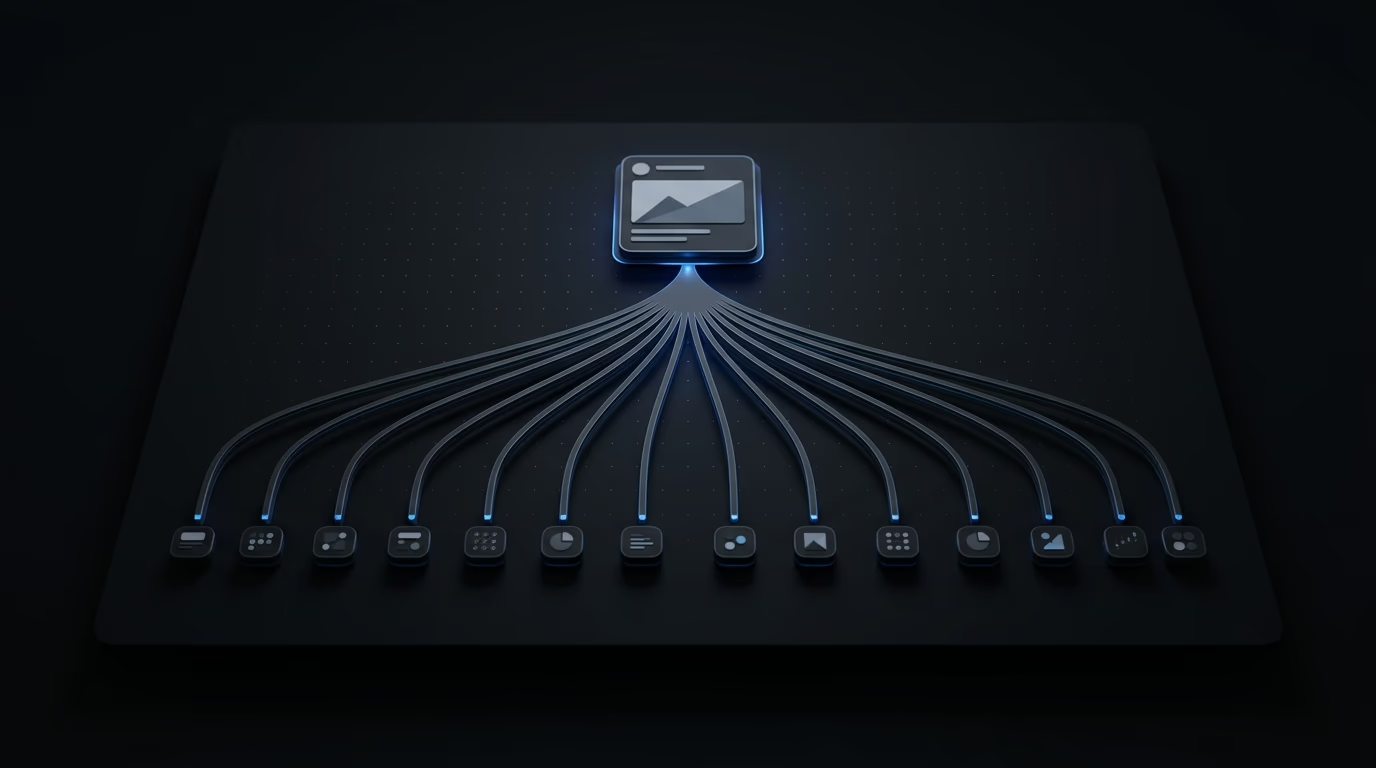
Manual execution breaks this system. Building ads one by one inside Ads Manager takes too long. Most teams stop after one or two variations. This is where AI and automation change the workflow.
Step 1: Input structured variables into Claude Code Take your extracted components and prompt Claude Code to generate variations:
- 5 hooks for the same angle
- 3 formats per hook
- Tone variations
Step 2: Generate structured outputs Claude Code produces combinations that map cleanly into testable ads—not random ideas, but organized matrices.
Step 3: Prepare bulk upload files Format variations into a structured schema compatible with Meta.
Step 4: Launch using a Facebook ads uploader With a Facebook ads uploader like Instrumnt, you can launch dozens of ads in minutes instead of hours. Teams regularly reduce setup time by 80–90%.
Step 5: Feed results back into the system Winning variations inform the next round of testing. This creates a loop where every input generates multiple outputs.
For a deeper walkthrough, see How to Build a Facebook Ads Bulk Testing System with Instrumnt and Claude Code.
How Structured Creative Extraction Compounds Over Hundreds of Ads
The advantage of this system isn’t immediate—it’s compounding. Each iteration:
- Expands your library of tested angles
- Improves your understanding of what works
- Speeds up future experimentation
Over time, the question shifts from: “Which ads should we copy?” to: “Which variations of proven patterns haven’t we tested yet?”
Meta reports over 3 billion daily active users across its platforms, meaning scale comes from feeding the algorithm more high-quality creative—not tweaking a handful of ads.
Only a small percentage of creatives—often estimated at 5–10%—drive the majority of results. Volume isn’t optional. It’s the mechanism.
Structured extraction makes that volume meaningful.
Why Tools Alone Don’t Fix the Problem
Tools like Madgicx and Revealbot focus on automation and optimization. They help manage campaigns efficiently. Hunch improves creative discovery and inspiration. But none of them solve the core issue: how to turn raw ad exposure into structured experimentation.
AI doesn’t fix this by itself either. Without a system, AI just produces more unstructured ideas faster. The bottleneck isn’t access or automation. It’s how inputs are processed.
What to Do Instead of Browsing the FB Ads Library
The FB Ads Library isn’t useless—but it should not be your decision layer. Use it as an input layer within a structured system:
- Don’t save ads
- Extract variables
- Generate variations with AI
- Launch using a Facebook ads uploader
- Analyze and repeat
This turns browsing into a repeatable pipeline.
Conclusion and Next Steps: Applying Systematic Competitor Analysis for Scalable Campaigns
The FB Ads Library doesn’t show winning ads—it shows visible ads. Winning teams aren’t better at finding ads. They’re better at translating them into structured experiments and executing them at scale. Once you make that shift, the Ads Library becomes useful—not as inspiration, but as input for a system that compounds results.
The Meta Ad Library is the primary tool in this system — use it as your input layer, not your decision layer. Once you’ve extracted variables worth testing, Meta’s creative best practices documents the format and placement requirements that keep your pipeline output compliant and deliverable.
Common questions about fb ads library
Can the FB Ads Library tell me which ads are actually performing well? No. It shows active ads but does not provide performance metrics like CPA or ROAS. You need to infer patterns and test them yourself.
How do I turn competitor ads into ideas I can test in my own campaigns? Break each ad into variables (hook, angle, format, CTA), then generate structured variations and test them systematically.
What tools can automate the extraction and testing of creative from the Ads Library? Claude Code helps generate structured variations using AI, while tools like Instrumnt act as a Facebook ads uploader to launch large volumes of ads quickly. Madgicx, Revealbot, and Hunch support optimization and discovery but should be combined with a structured workflow.
Related reading
If you want to keep reading without changing topic, these pages add more context:
- 5 Tips for Media Buyers to Work Faster and Scale Smarter
- Facebook Ads Uploader: Instrumnt vs Competitors — once you've extracted patterns from the library, this covers the fastest way to deploy them at scale
- Find Competitor Ad Landing Pages at Scale — the ad library only shows the ad; this covers what comes after the click
- How to Build a Facebook Ads Bulk Testing System with Instrumnt and Claude Code