
Why Testing Workflow Design Matters More Than Testing Volume
Most advice about Facebook ads testing focuses on what to test: headlines, visuals, CTAs, audiences. Less attention goes to how the testing process itself is structured — and that is where most teams actually lose time.
A team that tests the right things but runs them slowly will be outpaced by a team testing more ideas faster, even if some of those ideas are rougher. The evidence is clear: advertisers running five or more ad variations per audience see up to 25% lower CPA compared to those running fewer. That advantage comes from volume and iteration speed, not from any single brilliant creative.
WordStream's Facebook advertising benchmarks show the average Facebook ad CTR across all industries is 0.90%. In a competitive environment with margins that thin, the teams that win are the ones with a systematic process for generating and learning from creative experiments continuously. A well-designed testing workflow is what makes that possible at scale.
Teams that batch ad creation instead of building one by one report saving 4 to 6 hours per week per account. More importantly, they report a qualitative shift in how media buyers spend their time: less on operational tasks, more on strategic decisions about what to test next.
The Monday Problem: Why Most Testing Pipelines Stay Slow

It is 9:15 a.m. on Monday. The marketing team has results from last week's tests. They know which creatives underperformed. They have three new concepts they want to test. The brief is clear. The assets are mostly ready.
And yet the ads will not go live until Thursday.
This is the Monday Problem. The gap between "we know what to test" and "those tests are running" can stretch from hours to days depending on how the workflow is designed. Every day that gap exists, the account is not learning, not generating data, and not improving.
The culprits are almost always the same:
- Creative assets need final formatting before upload
- Campaign structure needs to be manually replicated per test
- Ad copy needs to be entered field by field in Ads Manager
- Someone needs to QA the setup before anything goes live
- Approval sometimes requires a second sign-off that takes another day
Tools like Revealbot and Smartly.io can help with post-launch optimization, but they do not solve the Monday Problem. The bottleneck is upstream — in how the team moves from a creative idea to a live ad.
The solution is workflow design, not more tools layered on top of a slow process.
The Weekly Testing Cadence: A Monday-to-Friday Breakdown
A high-functioning Facebook ads testing workflow runs on a predictable weekly cadence. Predictability is what makes it scalable — every person on the team knows what to do on each day, which cuts the status-check meetings and approval delays that slow most teams down.
Here is a weekly structure that works for teams running 30 to 50 new creatives per week:
Monday: Review and brief. Analyze the previous week's results. Identify the top-performing creative patterns — which hooks, formats, and messages drove the best CPA or CTR. Write briefs for new tests based on those patterns. Assign concept ownership. By end of day: 6 to 10 test briefs are written and assigned.
Tuesday: Creative production. Design and copy are produced for the week's test batch. Each brief becomes a set of asset files and copy variants. Assets are named and organized into the upload folder structure. By end of day: all assets are ready for upload, formatted to spec, and organized by concept.
Wednesday: Upload and launch. The upload spreadsheet is populated with all campaign parameters. A bulk uploader deploys the batch. Post-upload QA confirms everything launched correctly. By midday: all new tests are live and spending.
Thursday: Early signal review. Early data from Monday's lingering tests and any previous week's tests inform whether to pause clear underperformers. No decisions are made on this week's new launches yet — they need more data.
Friday: Document and plan. Log the week's launches in the team's test tracker. Note which hypotheses are live, which have enough data to read, and what the preliminary patterns suggest. Use these notes as input for Monday's review session.
This cadence keeps the pipeline moving without requiring anyone to make optimization decisions before data is meaningful. Meta Blueprint recommends letting campaigns run for at least 7 days before drawing conclusions — the weekly cadence is built around that guidance.
How to Turn One Concept Into 12 Testable Ads

The simplest and most powerful technique in a Facebook ads testing workflow is the variation matrix. It takes one creative concept and multiplies it into a full test set by varying independent dimensions.
Example concept: A video ad promoting faster checkout for an ecommerce brand.
Test dimensions:
| Dimension | Option A | Option B |
|---|---|---|
| Headline | "Cut checkout time by 40%" | "Stop losing sales at checkout" |
| Thumbnail | Product screenshot | Founder-style UGC clip |
| CTA | "Learn More" | "Get Started" |
Resulting test matrix:
2 headlines × 3 thumbnails × 2 CTAs = 12 distinct ads
Before, launching 12 variations manually would consume a full afternoon. With a structured upload workflow, those 12 ads go from a spreadsheet row to live campaigns in under 30 minutes.
The key discipline here is isolation: vary one dimension at a time across most tests. If you change both the headline and the thumbnail simultaneously, you cannot tell which change drove the performance difference. Structure your matrix so the majority of ads differ from each other in exactly one dimension.
When a clear winner emerges — say, Headline A outperforms Headline B by a statistically meaningful margin — that signal informs the next week's brief. Headline A becomes the control. New tests explore different thumbnails, CTAs, or ad formats using that winning headline.
This is how the testing workflow compounds over time. Each week's results sharpen the next week's hypotheses.
The Role of Templates in Repeatable Testing
Templates are what make a testing workflow repeatable without requiring significant setup work each cycle.
A campaign template captures the elements of your campaign structure that stay constant across tests: objective, optimization event, audience type, placement settings, budget tier, and campaign naming pattern. When a new test batch is ready, the template is duplicated rather than rebuilt from scratch.
Teams using Smartly.io or similar workflow tools can build on this template system by connecting creative assets directly to campaign structures, so that uploading a new creative file automatically populates the associated campaign parameters.
At minimum, every team should maintain:
A campaign structure template that encodes their standard testing setup — objectives, optimization events, placement selections, and budget tiers.
A naming convention template that produces consistent, parseable ad names without requiring anyone to remember the format from memory.
A copy template with placeholder fields for the variable elements — headlines, body copy, CTAs — so that new copy only needs to fill in the blanks rather than building a new document from scratch.
An asset specification checklist that lists Meta's current format requirements for each placement type, so assets are never uploaded without a specification check.
Templates reduce per-launch cognitive load. When the team is not spending mental energy on setup mechanics, that energy goes toward creative strategy — which is where it produces the most value.
How to Use an Uploader to Remove the Launch Bottleneck
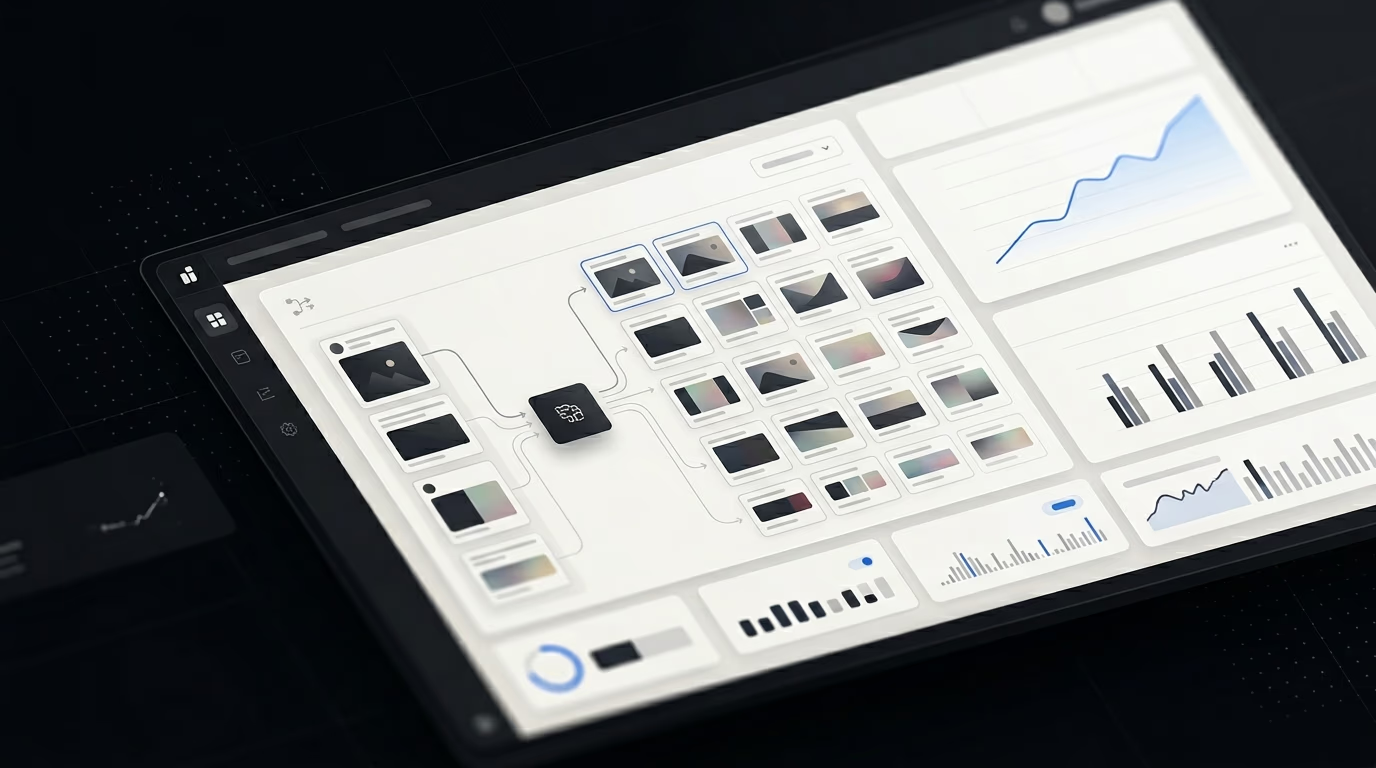
The upload step is where most testing workflows break down. A batch of 12 ads that took two days to brief and produce should not take another four hours to launch. But without a dedicated uploader tool, that is often what happens.
A Facebook ads uploader takes a structured file — typically a spreadsheet with campaign parameters, creative assignments, and ad copy — and deploys the entire batch through Meta's API simultaneously. Tasks that take 5 to 10 minutes each in Ads Manager take under a minute in aggregate.
Instrumnt is built specifically for this workflow. For the 12-ad variation matrix above:
- The upload spreadsheet is populated with all 12 ad configurations
- Instrumnt validates the file for common errors — missing assets, formatting issues, naming inconsistencies
- The batch deploys in a single operation
- A post-upload confirmation confirms all ads entered review
The entire process takes under 30 minutes from finalized spreadsheet to live ads. Compare that to the 2+ hours required to build those same 12 ads manually in Ads Manager — while making sure copy is consistent, assets are correctly assigned, and naming follows the convention.
Speed at launch is not just an efficiency gain. It means creative ideas reach the market while they are still fresh, feedback cycles start sooner, and the team maintains momentum throughout the week rather than burning out on repetitive setup work.
Measuring Whether Your Testing Workflow Is Working
A testing workflow produces two types of value: operational efficiency (time saved) and learning velocity (insights generated per unit time). Both are worth measuring.
Operational metrics to track:
- Average time from finalized brief to live ad (target: under 24 hours)
- Number of new creatives launched per week
- Error rate on launches (ads flagged, rejected, or requiring re-upload)
- Time spent on ad setup per launch cycle
Learning metrics to track:
- Number of distinct hypotheses tested per month
- Time from test launch to first actionable insight (typically 7 to 14 days)
- Rate at which winning creative patterns are identified and carried forward
- CPA trend over the past 60 and 90 days as testing volume increases
If your workflow is working, the learning metrics improve over time. CPA falls not because optimization rules changed, but because the account is cycling through more creative hypotheses and finding better performers faster. AdEspresso has documented this pattern consistently in accounts that transition from low to high creative testing velocity.
If your operational metrics show that ads are taking 48 to 72 hours to go live from a ready brief, the workflow has a bottleneck that is costing you learning cycles. Trace the delay back to its source: is it in asset production, approval, upload, or QA? Fix the slowest step first.
Common Testing Workflow Mistakes
Treating each test as a one-off project. The most common mistake is not having a workflow at all — just ad-hoc launches whenever someone has an idea and bandwidth to execute it. This produces inconsistent volume and makes it impossible to build on previous learnings systematically.
Changing too many variables at once. Launching 12 ads that all differ from each other in multiple dimensions produces data you cannot act on. You will know which ad won, but not why. Structure tests to isolate variables so each result answers a specific question.
Making optimization decisions too early. Creative fatigue for cold audiences typically sets in when frequency exceeds 3 to 5 impressions per user, but that does not mean a 48-hour-old ad with five conversions is ready for a scaling decision. Give tests meaningful run time before drawing conclusions.
Neglecting to document results. A test that runs and produces insights is only valuable if those insights inform future tests. Without a test log that the whole team can reference, the same hypotheses get tested repeatedly and learnings are lost when team members change.
Letting approval gates sit inside the upload process. By the time an upload is ready to run, the creative strategy should already have sign-off. Approval cycles that happen during upload preparation add days to the Monday-to-launch timeline without adding meaningful quality control.
For additional depth on scaling Meta ad operations, the guide on how to scale Meta ads covers the infrastructure considerations that complement a strong testing workflow. For media buyers managing multiple client accounts, 5 tips for media buyers covers execution habits that make high-volume testing sustainable over time.
Frequently Asked Questions
How many ads should I test per week?
A practical target for teams running meaningful ad spend is 20 to 50 new creative variations per week. Start at the lower end if your workflow is still being established — 20 new ads per week is enough to generate useful learning signals. As your workflow matures and the upload and production steps become faster, scale toward 50. The key is consistency: regular weekly volume produces more reliable learning than occasional large batches separated by quiet periods.
What is a Facebook ads testing workflow?
A Facebook ads testing workflow is the repeatable process your team uses to move from creative concepts to live experiments. It covers how ideas are briefed, how assets are produced, how ads are organized and named, how they are uploaded and launched, and how results are reviewed and fed back into the next round of testing. A well-designed workflow makes this process predictable and consistent, so that testing happens every week regardless of who is on the team and what else is on their plate.
How do I organize Facebook ads creative testing?
Start by establishing four foundational elements: a naming convention that encodes test variables into ad names, a folder structure that organizes assets by concept and variation, a spreadsheet template for upload preparation, and a weekly cadence that defines when review, production, upload, and analysis happen. With those four elements in place, testing becomes a system rather than an ad-hoc activity. Use a bulk uploader to handle the deployment step so that high creative volume does not require proportionally more time to launch.