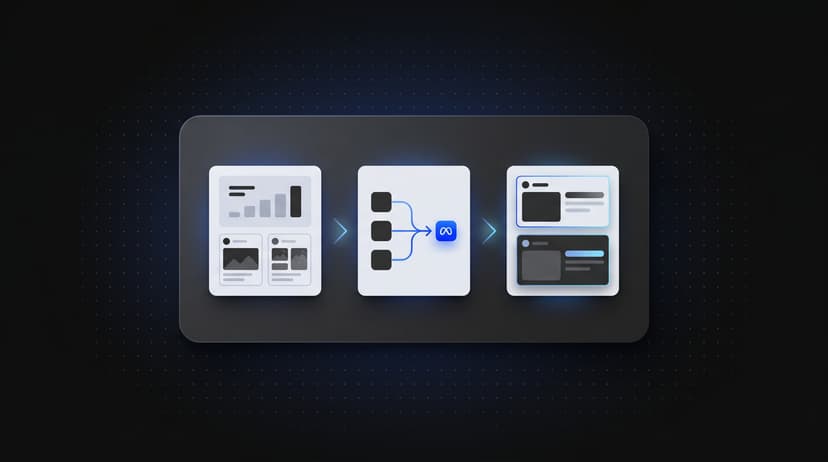

If you are trying to scale Meta ads, the bottleneck is often not strategy. It is execution.
You can have winning creatives, strong offers, and clear testing ideas, but if your team is still launching ads one by one inside Ads Manager, scaling gets slower than it should. The more accounts, campaigns, ad sets, and creative variants you manage, the more that manual process drags down your output.
Meta's family of apps now reaches 3.29 billion daily active people — the largest addressable advertising audience on the planet. The opportunity is there. The question is whether your workflow can keep up with it.
That is why bulk uploading matters. It gives media buyers and agencies a way to launch more ads, test more variations, and reduce the time lost to repetitive work.
Why Scaling Meta Ads Breaks Down So Often
Scaling sounds simple in theory: launch more winning ads, expand what works, and keep testing. In practice, the workflow often becomes messy long before the account reaches its ceiling.
The common issue is not ambition. It is operational friction.
Manual ad launches create a speed limit
When every ad has to be built manually, each launch requires repeated steps:
- selecting campaign structures
- pasting copy variants
- uploading creatives
- assigning placements
- checking tracking and naming
- reviewing everything for errors
That might be manageable when you launch a small number of ads. It becomes painful when you need to launch dozens or hundreds.
The bigger the account, the more expensive wasted time becomes
For a solo media buyer, a slow launch process means less time for analysis and creative strategy. For an agency, it can mean slower client delivery, delayed tests, and lower team leverage.
According to WordStream's Facebook Ads benchmarks, the average Facebook ad CTR across all industries is 0.90%, with an average CPC of $0.94. In that environment, the margin between a profitable and unprofitable campaign is narrow. Any inefficiency in your launch workflow directly cuts into your ability to run enough tests to find what works.
At that point, scaling Meta ads is no longer just about performance. It becomes a workflow problem.
What Bulk Uploading Changes
Bulk uploading changes the unit of work.
Instead of thinking in terms of one ad at a time, you start thinking in terms of launch systems. You prepare creative, copy, and campaign logic in a structured way, then push everything live at once.
That changes three things immediately.
1. You launch more ads in less time
The obvious benefit is speed. A launch that might take two to four hours manually — across campaign setup, ad set configuration, creative uploads, naming, and QA — can be reduced to thirty minutes when the work is prepared in bulk. For agencies managing ten or more clients, that difference is the equivalent of a full workday recovered every week.
2. You make testing easier and more systematic
Research from Nielsen and Meta shows that creative quality accounts for up to 56% of a campaign's ROAS variation. That means the biggest performance lever available to any media buyer is the creative itself, not the bid, not the budget, not the audience tweak. But to find the creative that works, you need to test. To test at volume, you need a workflow that supports it.
When launch volume becomes easier to manage, you can test more hooks and opening lines, more headlines and CTAs, more creative angles and formats, more placements and aspect ratios, and more audience segments.
Advertisers who run three or more ad variations per audience see up to 30% lower CPA on average. That is a meaningful performance gain driven entirely by testing velocity, not ad spend.
3. You reduce manual mistakes
The more repetitive the process, the more likely errors become. Bulk workflows reduce common problems: wrong copy attached to the wrong creative, inconsistent naming conventions, missed tracking parameters, and ad sets that went live without a final QA pass. When you build ads from a structured source — a spreadsheet, a template, a bulk upload tool — you create a single point of review rather than dozens of individual checks.
Signs You Need a Better Meta Ads Workflow
If any of these sound familiar, your current process is probably slowing down your scale:
- you spend more time launching ads than reviewing results
- you avoid testing more variations because execution takes too long
- your team duplicates the same setup work over and over
- launching across multiple accounts feels chaotic
- QA gets harder every time launch volume increases
These are not just workflow annoyances. They directly affect how quickly you can iterate and how much volume your team can handle. The Meta Ads Guide covers the full range of ad formats and specifications, but knowing the formats is only useful if your workflow lets you act on that knowledge at speed.
A Practical Workflow for Scaling Meta Ads
You do not need a more complicated process. You need a more structured one.
Step 1: Organize all assets before you open Ads Manager
Prepare your copy variants, creative files, naming conventions, and campaign logic before you start building. This means deciding — in advance — what you are testing, why, and how results will be interpreted. The cleaner the prep, the smoother the upload, and the cleaner the data you get back.
A typical pre-launch checklist looks like this:
- primary text variations (minimum three per ad set)
- headline variations (minimum two)
- creative files named by angle and format
- naming convention applied consistently across all ads
- tracking parameters verified
Step 2: Group ads by clear testing logic
Instead of mixing everything together, structure launches around clear variables:
- one angle across multiple creatives
- one creative across multiple copy hooks
- one offer across multiple audiences
This is not just organizational tidiness. It makes performance easier to interpret after launch. If you mix variables, you cannot determine which element drove a result.
Step 3: Use systems that support volume
If your workflow cannot support higher launch volume without creating more chaos, it is not built for scale. Manual Ads Manager work is familiar, but familiarity is not the same as efficiency. Bulk uploading shifts the work up front into planning and structure — which is exactly where media buyers create the most value anyway.
If you want to build the underlying skills to support a systematic workflow, Meta Blueprint offers free certification courses covering campaign structure, optimization, and creative best practices.
Bulk Uploading vs Manual Ads Manager Work
Manual Ads Manager work is familiar, but familiarity is not the same as efficiency.
When you launch everything manually, you pay for that process repeatedly — on every new campaign, every creative refresh, every account expansion. Bulk uploading shifts the work up front into planning and structure, which is exactly where media buyers create the most value.
That is a better trade: less time clicking through repeated setup steps, more time on creative strategy and analysis, fewer duplicated work across accounts and campaigns, and more consistent launches with fewer QA errors.
If your current process feels slow, our post on 5 tips for media buyers to work faster and scale smarter goes deeper into the workflow side of that problem.
Where Meta Marketing Partner Tools Matter
When you rely on automation or bulk workflows, the quality of the tool matters. That is one reason official ecosystem alignment is worth checking.
If you want to understand why that matters operationally, read what it means to be a Meta Marketing Partner. Official partnership does not replace strategy, but it adds confidence around reliability, API alignment, and platform standards — which matters when you are running high-volume launches.
How to Measure Whether Your Scale Efforts Are Working
Scaling is not just about launching more ads. It is about knowing whether the new volume is actually generating better outcomes. A few metrics to track as you increase launch volume:
Launch velocity: How many ads per day or per week are you actually getting live? If this number is not increasing as you implement bulk workflows, the process change has not landed yet.
Time-to-live: How long does it take from creative brief to live ads? Reducing this from days to hours is a meaningful operational improvement.
Testing breadth: Are you running more ad variations per audience than you were before? This is a direct signal that your workflow is creating more room for learning.
CPA trend: As testing velocity increases, CPA should trend downward over time as you identify and scale winners. A flat or rising CPA alongside more tests may signal issues with creative quality or audience selection, not the workflow.
Error rate on launch: Track how often a launch requires a post-publish correction. A well-structured bulk workflow should drive this toward zero.
How Instrumnt Helps You Scale Meta Ads Faster
Instrumnt is built for media buyers who want to launch more ads without getting trapped in repetitive setup work.
With a workflow designed around speed and scale, you can upload ads in bulk from a structured source, reduce repetitive launch steps across campaigns and accounts, duplicate faster with consistent naming and structure preserved, and spend more time on strategy and creative iteration.
That is the real value of bulk uploading. It removes friction from scaling so the bottleneck moves back to where it belongs: creative quality, offer strategy, and audience learning.
Common Questions About Scaling Meta Ads
What is the fastest way to scale Meta ads without increasing errors?
The fastest way is to move from ad-by-ad manual builds to a structured bulk workflow. Prepare all copy, creatives, and naming conventions in a spreadsheet or template before touching Ads Manager. This moves the error-prone work outside the platform, where it is easier to review and correct before anything goes live.
How many ad variations should I test when scaling?
Meta's own delivery system performs best when it has multiple options to optimize across. Aiming for at least three creative variations per ad set is a reasonable starting point. Data consistently shows that advertisers running three or more variations per audience see materially lower CPAs than those relying on one or two.
Does scaling Meta ads mean increasing budget?
Not necessarily — not at first. Scaling often means increasing the number of tests you run, not just the spend behind existing ads. Operational scaling (launching more ad variations, testing more angles, running more concurrent experiments) is usually the right first step before budget scaling. You want to know what works before you spend more behind it.
Final Takeaway
If you want to scale Meta ads, look beyond bidding, budgets, and creative winners. Those matter, but so does the system that gets your ads live.
The teams that scale fastest are not the teams willing to click the most. They are the teams with the cleanest workflows, the highest testing velocity, and the fewest manual bottlenecks.
If your launch process is slowing down your growth, start by fixing the workflow. Then your strategy has room to perform.
Explore Instrumnt's features or pricing if you want a faster way to launch and scale Meta ads.